
Invest in the best stock opportunities right now and every-time.
Start Systematic Stock Investing ...in less than a minute.
As an investor, you would want to know which are the best stocks within a sector/industry or index so that you could have a shortlist of stocks that you could consider investing in. This is what our tool ComPeer helps you achieve.
For example - This tool helps you know which are the top 3 Pharma companies in a few seconds, just by selecting the sector domain as Pharma and screening them on the basis of their Net Sales.
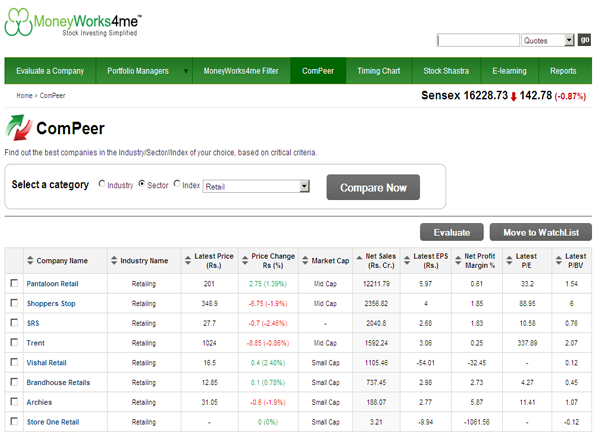
Use this tool in 2 simple steps:
Step 1 - Select the domain of your choice:
To start, you need to select a domain of your choice. You have a choice among 3 independent domains i.e. Sector/Industry/Index.
For example - Select your domain as Pharma and you will get a list of Pharma stocks with the company with the highest net sales on the top.
Step 2 - Screen according to the parameters of your choice:
Going forward, you can screen this list on the basis of certain available parameters like Net Sales, Earnings per share (EPS), Profit Margins, Price to Earnings ratio (P/E), Price to book value (P/BV), Price change over a day etc. You can compare P/E and P/BVPS across companies and with the Industry P/E to identify companies that are attractively priced and merit further evaluation.
For e.g. - If you want to know the market leader in the above list of Pharma sector stocks, screen on the basis of Net Sales. The company with the highest net sales is the market leader.
If you want to know which stock has had the highest price rise over the last day, screen according to price change.

MoneyWorks4Me rating and ranking of funds for SIP is available to subscribers only. Moneyworks4Me is not a rating and ranking agency, however it is required that users have a way of selecting funds and building a Portfolio. The method used by it are described below to enable users to understand the logic behind the rating and ranking Subscriber will find more details on this in the various content made available from time to time. In case you need more please write to besafe@moneyworks4Me.com
MoneyWorks4Me rates and ranks mutual funds based on the following data-driven system:
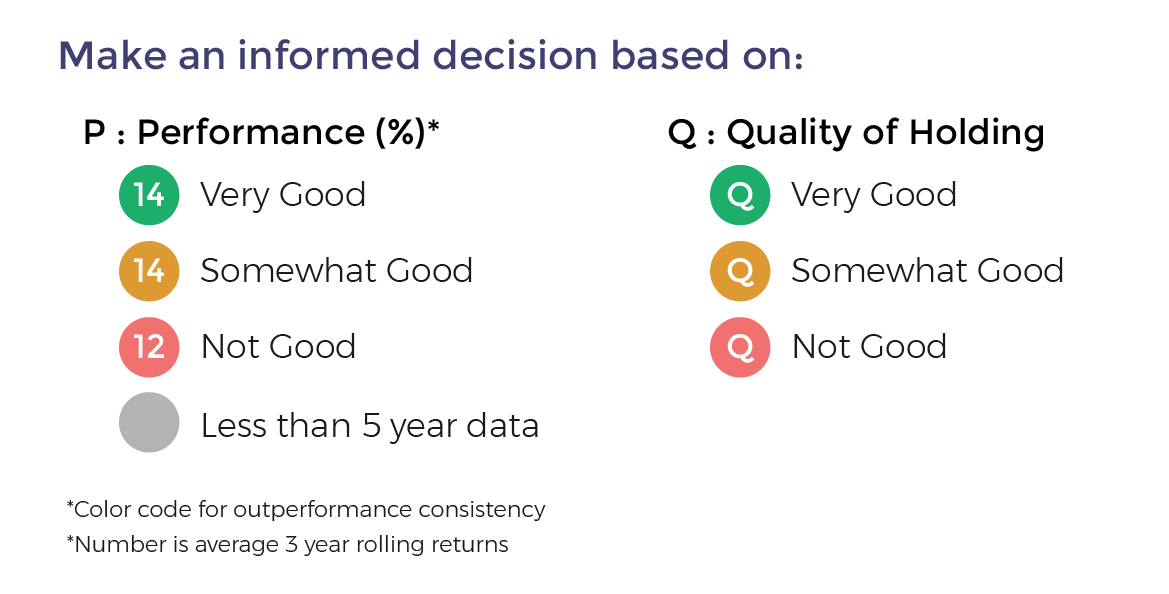
Funds ranking in screeners: Performance Consistency and Quality are two parameters used for ranking funds for SIP. The ranking as follows GG, GO, GR, OG, OO, OR, RG, RO and RR.
With the same color-coded funds, the one with the higher Average 3-year rolling returns (over 5 to 10 years), the number that appears in the Performance tag, ranks higher.
Here is the summary:
The third tag Upside Potential is not relevant for SIP. It is relevant for lumpsum investments in Mutual Funds.

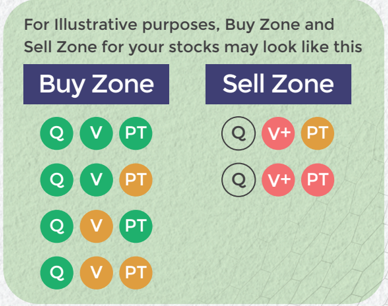
Buy quality Stocks when they are available at reasonable prices and supported by an upward price trend and Sell when they are Overvalued using the Decizen Rating System. Covers 3500+ stocks
 Download APP